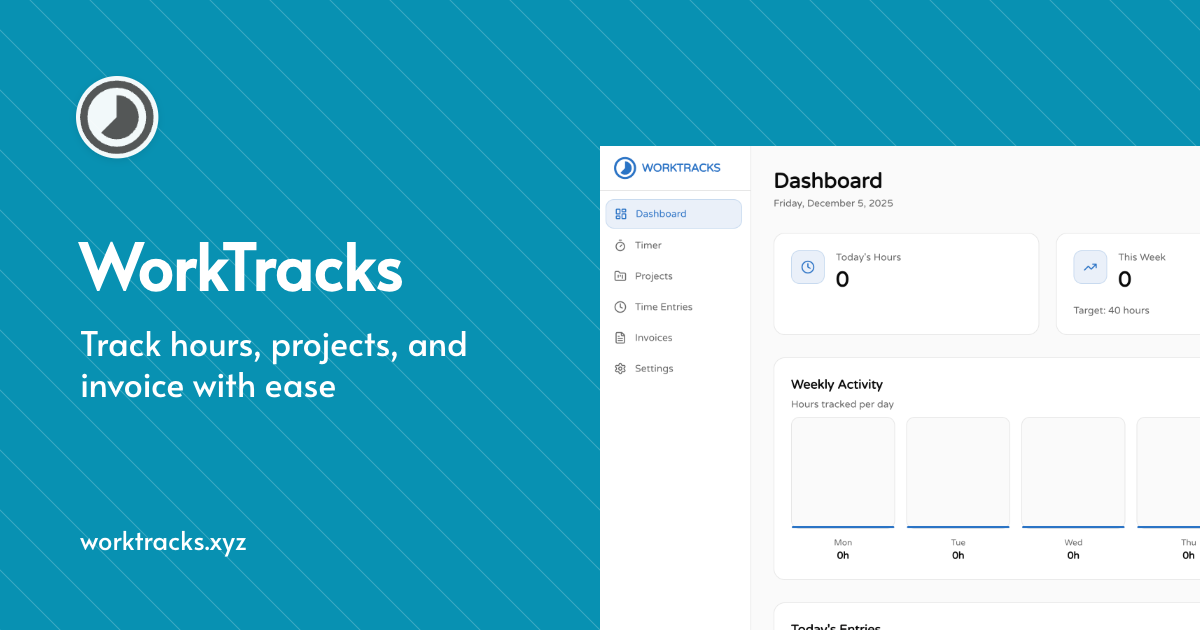
What is Worktracks?
Worktracks is Time tracking and invoicing for freelancers and remote teams. Listed in the Analytics category on MarketingDB.
This tool provides time tracking and invoicing solutions for freelancers and remote teams.
- Track hours spent on projects
- Organize tasks and projects effectively
- Generate professional invoices quickly
- Start for free with basic features
- Premium model for advanced capabilities
Freelancers and remote teams can use Worktracks to efficiently manage their time and billing processes. The platform allows users to easily track hours, organize their work, and produce clean invoices in a matter of seconds. With both free and premium options, it caters to various needs and budgets.
Why Worktracks
Who it's for
Freelancers, indie contractors, and small remote teams who bill by the hour.
Problem
Freelancers lose billable hours because time tracking tools are too heavy. Most either forget to log time or spend their evening reconstructing the week from memory, then rebuild it all again in a separate invoicing tool. The result is undercharging, late invoices, and hours spent on admin instead of client work — all because the tools built to fix this ask you to learn a whole project management
How it works
Worktracks strips time tracking down to what actually gets used. Create a project with a client and hourly rate in 30 seconds, hit start with one click, and see the week in a clean calendar. When it's time to bill, select the entries you want and Worktracks turns them into a professional invoice you can download or send instantly. No setup, no learning curve, no context switching between apps.
Key features
- One-click timers with manual entry support
- Projects with client details and hourly rates
- Tasks with status tracking
- Automatic invoice generation from logged time entries
- Invoice preview, download, and send
- Visual calendar view of all work activity
- Productivity insights
- Free to start
Use cases
- Freelance designer tracking hours across three clients and invoicing each at month end
- Developer on a retainer proving hours logged against the contract
- Agency owner seeing which projects eat the most time
- Remote team logging billable hours per project without a PM tool
- Consultant turning a week of logged sessions into an invoice in under a minute
Alternatives: Toggl Track, Harvest, Clockify, Everhour, TimeCamp, Hubstaff, RescueTime
Most trackers grew into project management platforms — dashboards, integrations, seat pricing, onboarding flows. Worktracks stayed small. It's faster than Toggl for the one thing freelancers actually do: start a timer, log the hours, get paid. Tracking and invoicing live in the same app, so hours become an invoice in one step instead of an export. Quiet by design, and free to start.
Topics
Worktracks FAQ
What is Worktracks?
Time tracking and invoicing for freelancers and remote teams
Who is Worktracks for?
Freelancers, indie contractors, and small remote teams who bill by the hour.
How much does Worktracks cost?
Worktracks is a paid product (premium). Pricing and trials are on the official website.
Where can I find Worktracks?
Worktracks is listed on MarketingDB in Analytics, added August 2026. The listing links to the official website so you can try it directly.
Are there alternatives to Worktracks?
Yes. See other Analytics products on the Worktracks alternatives page (/alternatives/worktracks-7685c24983), or browse the Analytics hub.
Similar to Worktracks
CompareWorktracks vs DatalenkWorktracks vs Piqo AnalyticsWorktracks vs fnel

Datalenk
Cookieless web analytics that ties every visit to real Stripe revenue, so you see which channels, pages and keywords actually make you money.

Piqo Analytics
Privacy-first web analytics. One sub-1KB script, no banner, every feature included.

fnel
fnel is a lightweight funnel analytics platform for solo founders and SaaS teams. Track every funnel step, find conversion leaks in real time, and launch with one-line setup.

SetupScore — Data-Driven Home Office Equipment Reviews
SetupScore Thousands of reviews, one verdict
Chartcastr | AI Data Pulses from Google Sheets to Slack
Don't wait for your first data hire to understand your business. Get automated pulses, intelligent insights, and team-wide alignment from day one.

Clics
Cookieless and privacy-first analytics built for AI agents

Market Makers
Real-time F&O analytics and institutional trading intelligence